Websites built around your services
Web Design for Service Businesses
Your website should help customers explain what they need and help your team act on it. CheetahNova builds service business websites that connect clear service pages, useful enquiry forms, project galleries and a practical lead management dashboard.
Whether you provide repairs, installations, interiors or specialist project work, we shape the website around how customers choose your services and how your business handles each request.
Built in practice. For Sofa N More, we connected four service-specific enquiry journeys to one shared lead system, with customer uploads, project portfolios and an admin dashboard.

- Service-Specific Forms
- Photo & Plan Uploads
- Lead Management Dashboard
- Mobile-First Design
01 A useful first enquiry
Get the Details You Need Before the First Conversation
A message saying “How much does it cost?” rarely gives a service business enough information to respond usefully. Generic contact forms leave important details missing, while long, irrelevant questionnaires create unnecessary work for customers.
We build enquiry forms around the service being requested. Customers can choose what they need, answer relevant questions and upload photographs, plans or references where appropriate. Clear validation, visible upload progress and helpful error messages make the next step easier to understand.
The Sofa N More example
Someone requesting sofa restoration can send condition photographs. A commercial seating customer can share venue information and PDF floor plans. An interior design enquiry follows a different brief. Visitors on the homepage can choose a service and open the same dedicated form used on its landing page.
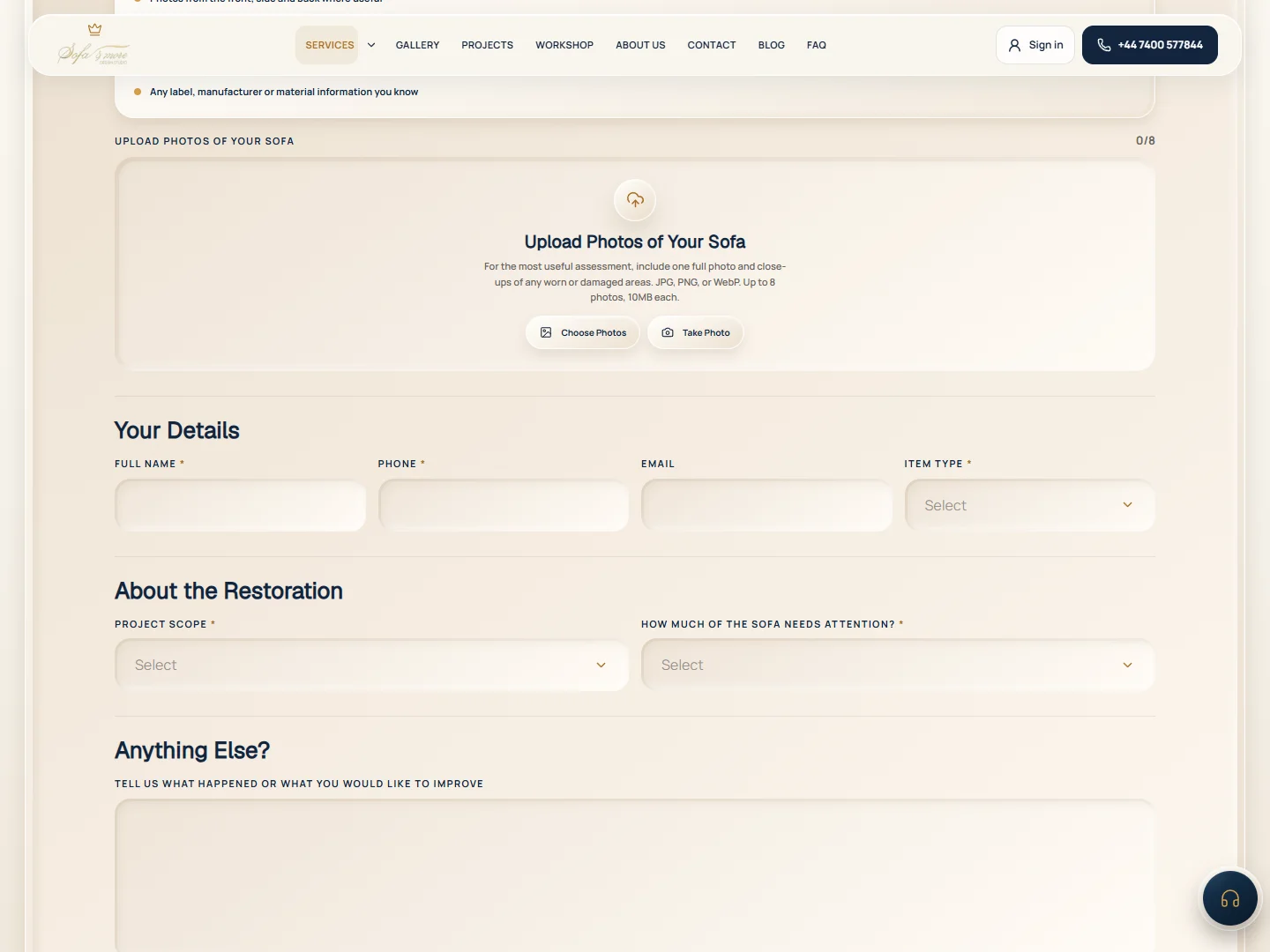
The journey stays connected
- 01Choose a service
- 02Share the brief
- 03Add supporting files
- 04Receive confirmation
Successfully uploaded files remain available for retry if the final submission fails, and missing required fields are brought into view.
02 From request to next step
One Dashboard for the Enquiries Your Website Generates
Receiving a request is only the beginning. When customer details, photographs and project information are scattered across different places, it becomes harder to see what needs attention and which opportunities are moving forward.
We build a central dashboard where authorised administrators can review saved enquiries, open supporting files, search customer details and filter requests by service, status and date. Lead stages make progress visible without turning everyday administration into a complicated workflow.
Inside the Sofa N More build
Contact messages and all four service forms feed into the same lead platform. Administrators can move enquiries through New, Contacted, Qualified, Quoted, Won or Lost, review attachments and remove unwanted records with confirmation.
The overview uses actual saved lead records to show enquiry volume, service breakdowns, pipeline status and daily trends. Admin-only access, user-role management and profile controls support day-to-day operation; new-enquiry email notifications are also implemented, subject to email-service configuration.
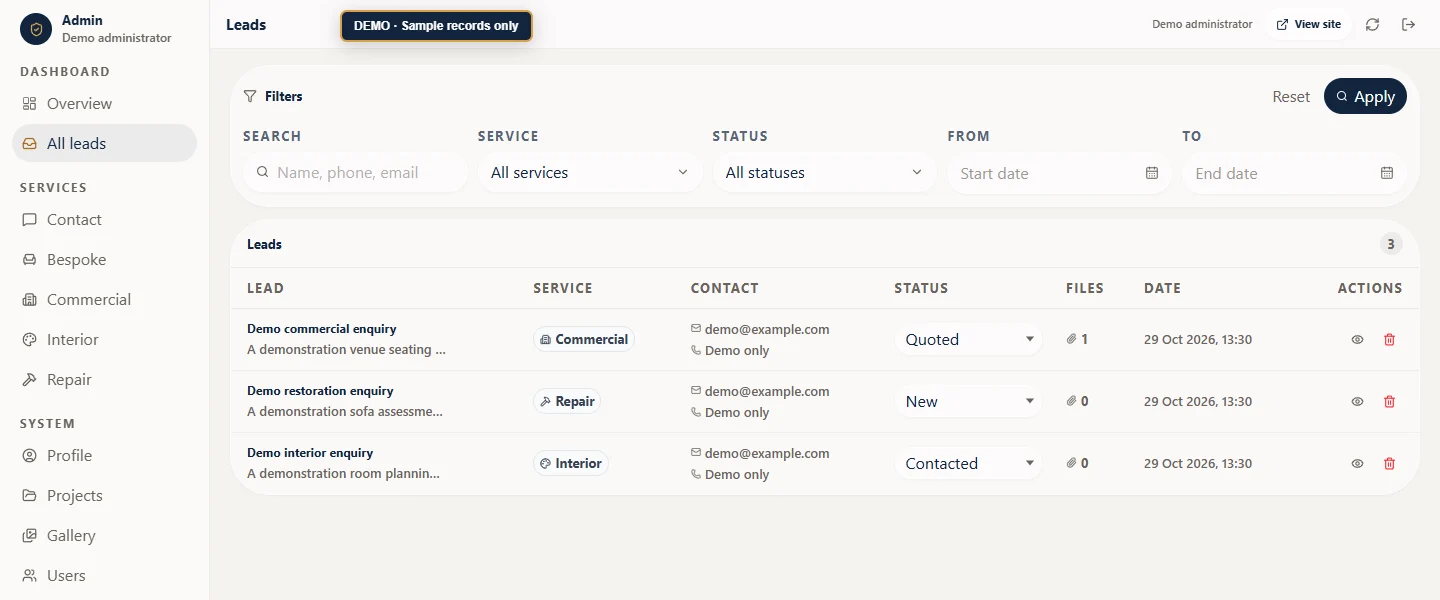
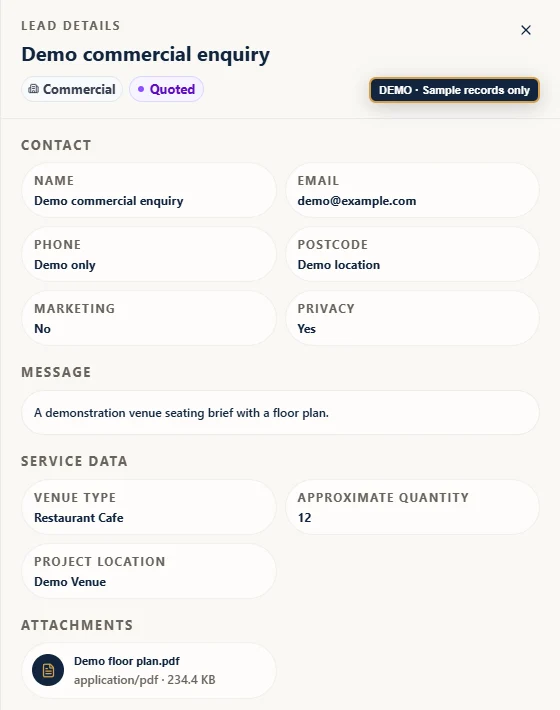
A website with lead management, shaped around your team’s workflow.
Plan My Service Website03 Evidence connected to an enquiry
Turn Completed Work into a Clear Reason to Enquire
A gallery can show what your business does, but photographs become more useful when visitors understand the service, the project and how to request something similar.
We connect manageable image galleries with detailed project pages and relevant enquiry routes. Your team can add work, organise it by service and keep the portfolio current without asking a developer to publish every new image.
The Sofa N More example
Administrators can create projects with a title, unique reference code, cover image, gallery and project story. Each project belongs to a service category, and its detail page displays the matching enquiry form. A visitor viewing commercial seating can therefore request a commercial project without starting again on a generic contact page.
Gallery management includes image descriptions, alt text, service categories and visibility controls.
Explore Sofa N More’s projects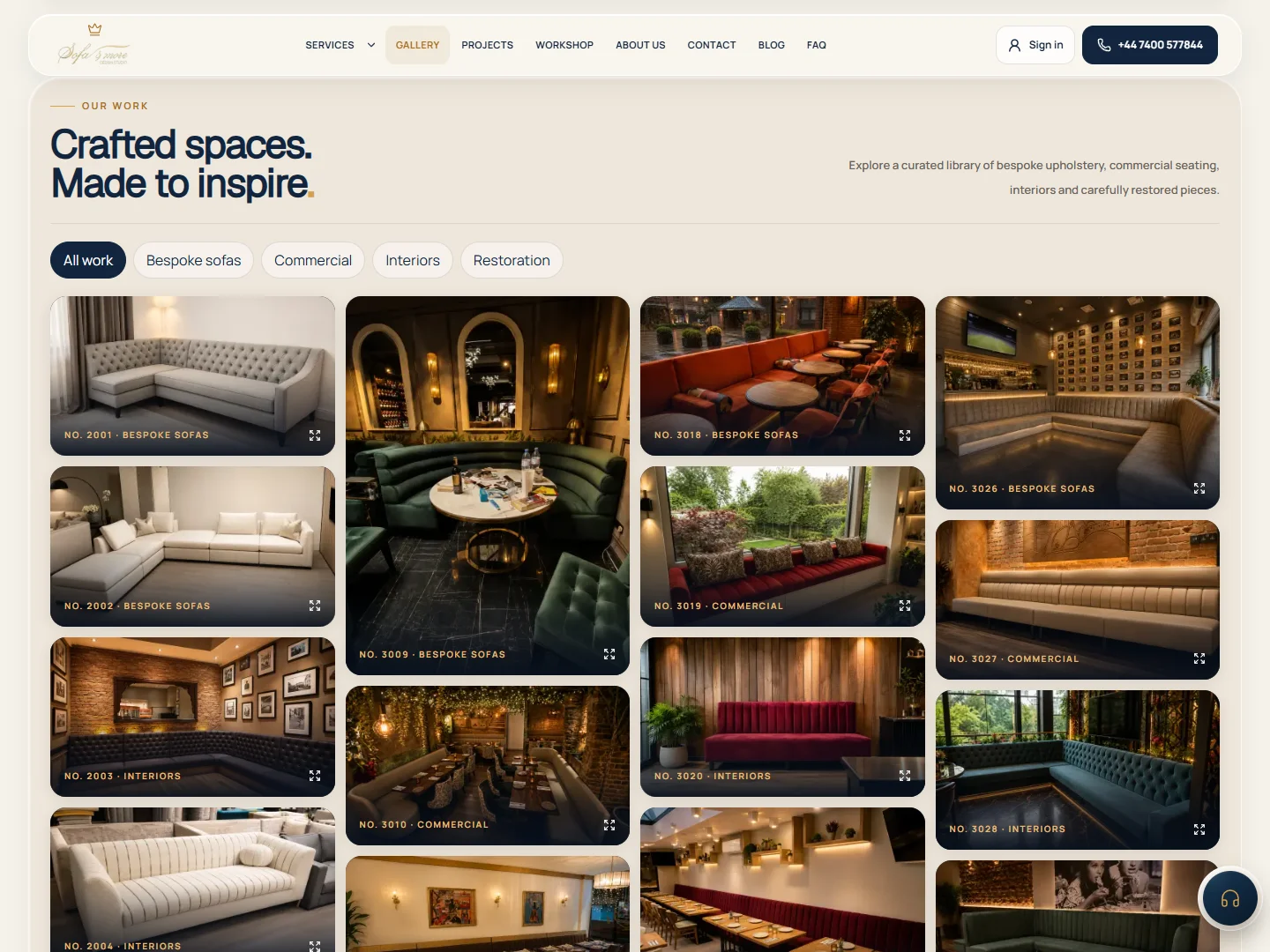
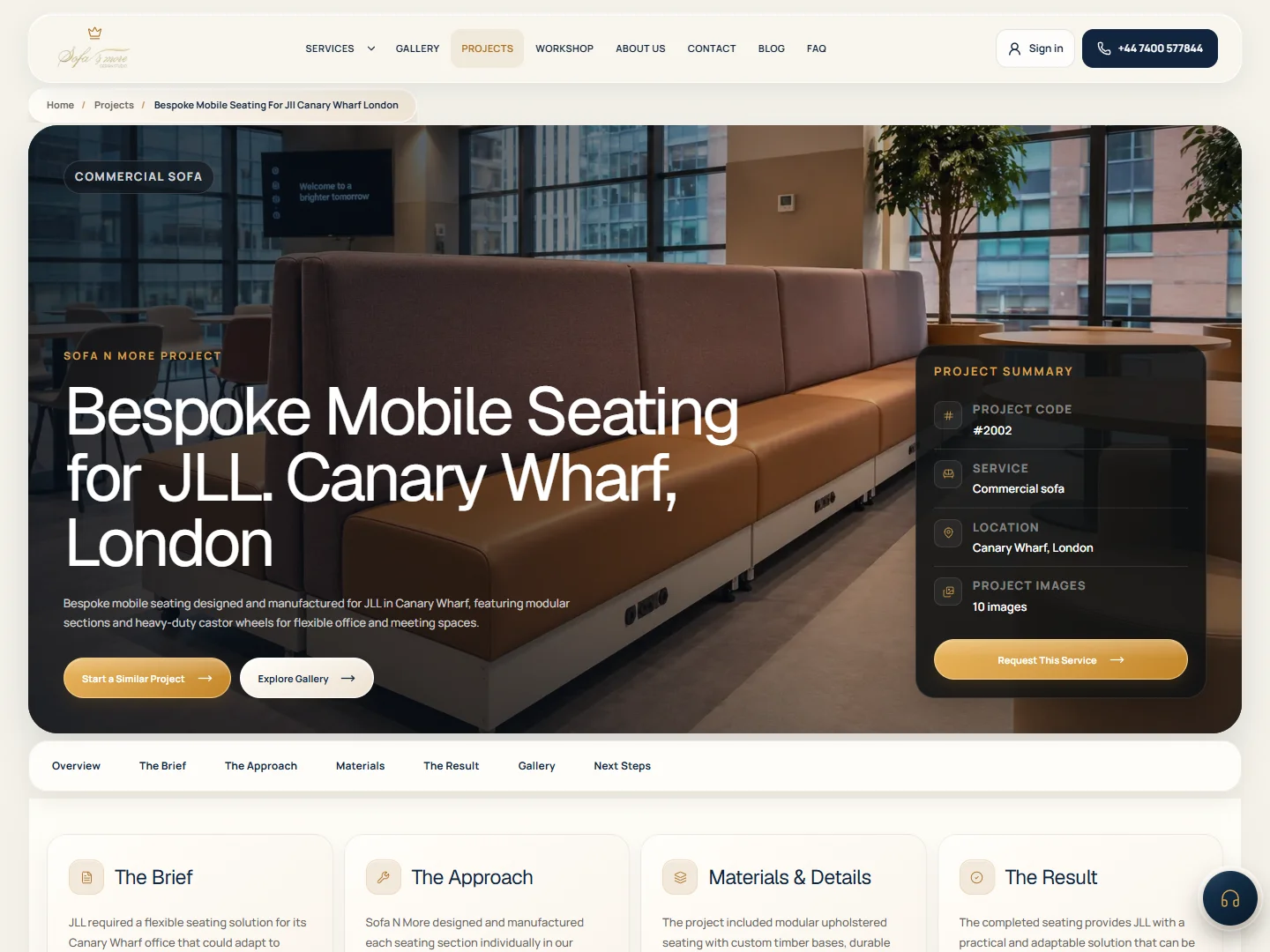
The form, dashboard and project screenshots on this page show the same Sofa N More system. Administrative views use labelled Demo records to protect customer information.
04 Search and measurement
Build for Search. Measure Enquiries, Not Just Clicks.
A service website needs to explain the right offer, show relevant evidence and provide an obvious next step. It also needs measurement that distinguishes a genuinely saved enquiry from someone simply pressing a button.
We combine focused service content, clear page structure, mobile usability and technical SEO foundations with conversion tracking designed around confirmed submissions. This gives your marketing team a more useful starting point for comparing services, landing pages and campaigns.
Our approach to lead generation website design connects what a visitor sees with what your team can actually follow up.
The Sofa N More example
Published projects have individual URLs and sitemap entries. Service and project pages connect visitors to relevant forms. After the backend confirms a saved lead and the thank-you popup appears, the website sends lead_confirmation_view with a service identifier for GTM and GA4 configuration.
- Enquiry saved by the backend
- Confirmation shown to the customer
- Confirmation event sent for measurement
Names, email addresses, phone numbers, messages and uploaded-file URLs are excluded from that confirmation payload. The result is a measurable enquiry journey, not an inflated count of submit-button clicks.
GA4 reporting and advertising attribution still require correct account configuration and consent handling.
05 Plan your connected website
Tell Us How Your Service Business Works
What do customers need to tell you before you can quote, assess or recommend the next step? Tell us where your current website falls short, and we can plan a website around your services, your enquiries and your team’s workflow.
Built around how you work
Service-specific questions. Useful supporting files. A clear place for your team to manage what comes next.
Looking for a broader company website? Explore our Business Websites service, or see our Web Design approach.
CheetahNova / Our services
Build. Design. Grow.
Explore everything we offer, from websites and custom software to brand identity, search visibility and ongoing protection.
Development
Explore developmentWeb development
Fast websites, dashboards and scalable web applications.
Explore serviceApp development
Mobile apps, web apps and custom product experiences.
Explore serviceE-commerce development
Online stores, product flows, checkout and store operations.
Explore serviceAI automation
Automate workflows, documents, support and business operations.
Explore service